




Table of Contents
◉ Introduction ◉ Reader Roadmap ◉ The Short Answer: Which AI Website Builder Should You Choose? ◉ Why AI Website Builders Are Getting More Important ◉ What CodeDesign.ai Does Best ◉ What Wix Does Best ◉ What Webflow Does Best ◉ CodeDesign.ai vs. Wix vs. Webflow: Feature Comparison ◉ Use Cases by Audience ◉ Step-by-Step: How to Choose the Right AI Website Builder ◉ Practical Mini Case Study ◉ Cost and ROI Considerations ◉ Performance, SEO, and Content Quality ◉ Common Mistakes and Troubleshooting ◉ When Not to Use Each Platform ◉ Decision Guide: The Best Choice by Scenario ◉ A Practical Framework: Speed, Control, Ecosystem, Portability ◉ FAQ ◉ Conclusion ◉ Sources
AI website builders are no longer just quick-start tools for people who cannot code. In 2026, they are becoming serious workflow accelerators for founders, marketers, freelancers, agencies, and product teams that need to move from idea to published website faster. The challenge is that “AI website builder” can mean very different things depending on the platform. Some tools focus on generating a simple business site from a prompt. Others combine AI with ecommerce, content, design systems, CMS workflows, or code export.
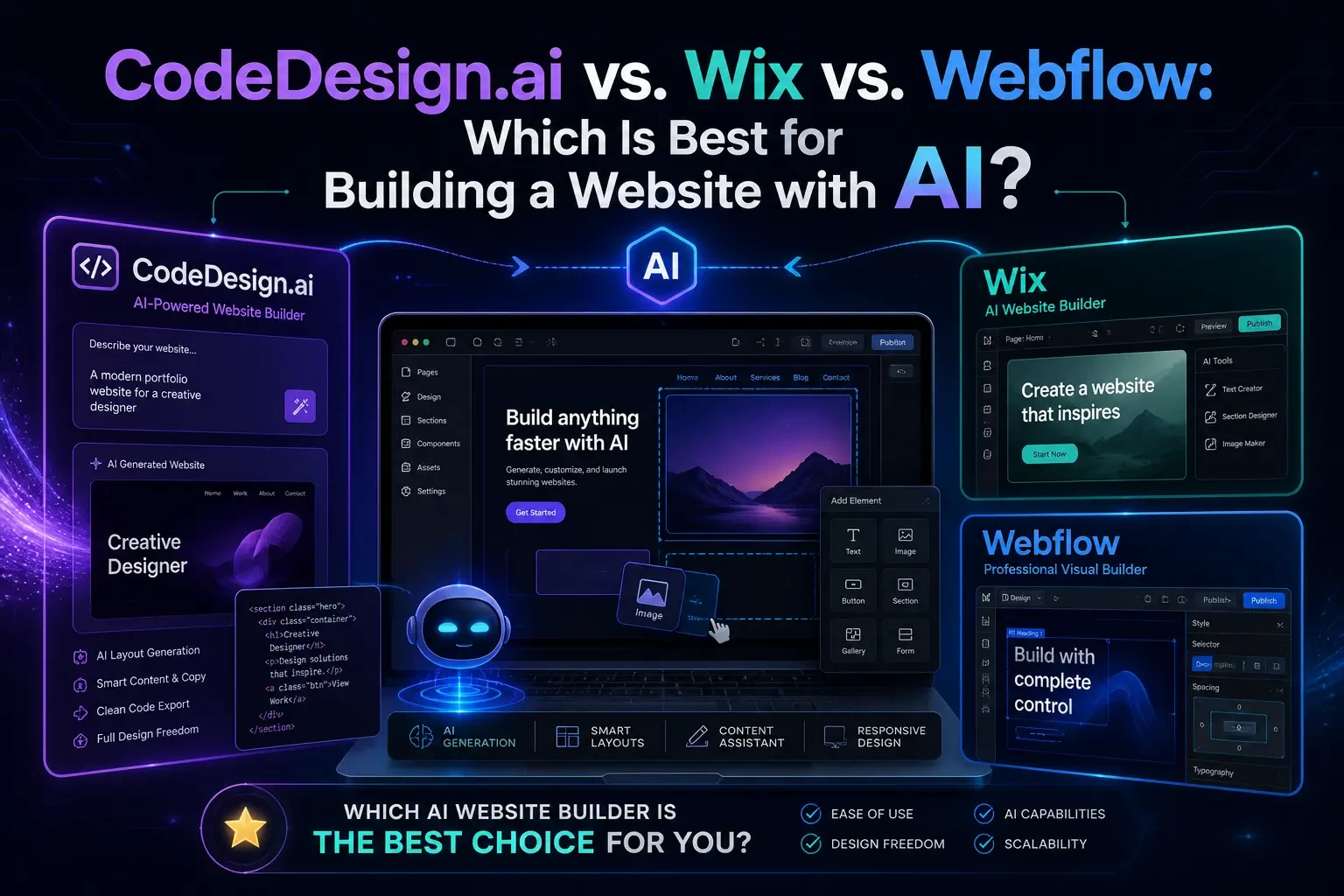
That is why the CodeDesign.ai vs. Wix vs. Webflow decision matters. These three platforms overlap, but they are not interchangeable. CodeDesign.ai leans into AI-first website generation with publishing flexibility, including hosting, WordPress sync, and code export. Wix is an all-in-one website and business platform with mature AI tools for small businesses. Webflow is a visual development platform that pairs professional design control with newer AI-assisted site creation and optimization features.
This guide breaks down which platform fits which use case, how to evaluate them, what mistakes to avoid, and how to choose the right AI website builder for your next project.
Reader Roadmap
• The quick verdict: A practical recommendation for CodeDesign.ai, Wix, and Webflow based on real business needs.
• Platform-by-platform breakdown: What each tool is designed to do well, where AI helps, and where you may still need human review.
• Comparison matrix: A side-by-side look at AI generation, design control, publishing, ecommerce, CMS, export options, and team workflows.
• Step-by-step selection guide: A practical process for choosing the right builder before you commit time, content, or budget.
• Common mistakes and troubleshooting: How to avoid slow sites, weak landing pages, poor SEO structure, vendor lock-in, and under-planned redesigns.
• FAQ and next steps: Fast answers and a checklist you can use before launching.
The Short Answer: Which AI Website Builder Should You Choose?
Choose CodeDesign.ai if your priority is to generate a site quickly with AI, edit it visually, and keep flexibility over where the final website lives. Its positioning is especially interesting because it emphasizes three publishing paths: host on CodeDesign.ai, sync to WordPress, or export code such as HTML/React depending on the plan and feature set (CodeDesign.ai, 2026). (codedesign.ai)
Choose Wix if you want an all-in-one business website platform with AI-assisted setup, templates, hosting, ecommerce, bookings, marketing tools, blogging, domains, analytics, and app integrations in one ecosystem. Wix’s AI website builder uses a conversational flow to turn your business description into a starting website that you can then customize (Wix, 2026). (wix.com)
Choose Webflow if you care most about design precision, responsive control, CMS flexibility, advanced interactions, professional publishing workflows, and a platform that feels closer to visual front-end development than a traditional drag-and-drop builder. Webflow’s AI site builder entered beta in 2025, and Webflow has continued expanding AI across site building, SEO, content, and code-assisted workflows (Webflow, 2025). (webflow.com)
The honest answer is not “one is universally best.” The better question is: What kind of website are you building, how much control do you need after AI generates the first draft, and who will maintain it six months from now?
Why AI Website Builders Are Getting More Important
The website builder market is growing as more businesses move online and expect faster, lower-friction ways to launch digital experiences. Mordor Intelligence estimates the website builders market at $3.57 billion in 2026, with projected growth to $7.67 billion by 2031 (Mordor Intelligence, 2026). (mordorintelligence.com)
That growth is not just about hobby websites. Businesses now expect site builders to handle lead capture, landing pages, SEO, analytics, ecommerce, scheduling, content, and integrations. AI adds another layer: it can generate page structure, draft copy, suggest images, create design variations, recommend SEO improvements, and accelerate routine production work.
But AI does not remove the need for strategy. A generated website can still have unclear positioning, weak calls to action, generic copy, poor mobile hierarchy, or SEO problems. In other words, AI can reduce production time, but it does not automatically solve product-market fit, brand trust, conversion strategy, or technical quality.
That is the lens you should use when comparing CodeDesign.ai, Wix, and Webflow.
What CodeDesign.ai Does Best
CodeDesign.ai is built around the idea that you can describe the website you want, generate a design with AI, customize it without code, and then decide how to publish it. Its official messaging highlights AI website generation, visual editing, cloud hosting, WordPress publishing, and code export as core differentiators (CodeDesign.ai, 2026). (codedesign.ai)
That combination makes CodeDesign.ai especially relevant for users who want speed but do not want to feel trapped in one hosting environment.
Where CodeDesign.ai stands out
• AI-first website creation: The platform is designed to move from prompt to initial site quickly. That makes it useful for landing pages, local business sites, startup pages, service pages, and portfolio-style projects.
• Publishing flexibility: CodeDesign.ai’s official site emphasizes that users can host on its platform, publish to WordPress, or export code (CodeDesign.ai, 2026). That is a meaningful distinction if you care about portability. (codedesign.ai)
• No-code customization: After generation, you can refine sections visually instead of starting from a blank canvas. That is useful for non-technical users who still want control over layout and content.
• Content and SEO support: CodeDesign.ai promotes AI-assisted copy improvements and SEO-friendly content adjustments, which can help users move beyond placeholder text (CodeDesign.ai, 2026). (codedesign.ai)
• Useful for agencies and freelancers: If you create many small-to-medium websites, the ability to generate, customize, and potentially export can support a faster client delivery process.
Where CodeDesign.ai may not be the right fit
CodeDesign.ai is compelling when you want AI generation and output flexibility, but you should still evaluate how deep your project requirements are. If you need complex ecommerce operations, a large app marketplace, advanced native booking features, or a highly mature CMS ecosystem, Wix or Webflow may be stronger depending on the use case.
You should also test the generated code, page speed, mobile layout, and SEO structure before handing a site to a client. Code export is useful, but exported code still needs responsible review if it will become part of a production workflow.
What Wix Does Best
Wix is one of the most mature all-in-one website platforms for small businesses, creators, solo professionals, and merchants. Its AI website builder uses a conversational interface to help generate a business-ready site, then lets users adjust layout, theme, images, and text (Wix, 2026). (wix.com)
The key advantage of Wix is not just the AI builder. It is the ecosystem around the website.
Where Wix stands out
• Beginner-friendly setup: Wix is strong for people who want to answer a few questions, get a site draft, and edit without thinking about hosting architecture.
• Business features in one place: Wix supports use cases like ecommerce, bookings, blogs, forms, domains, marketing tools, analytics, and app integrations. Its broader AI feature page also highlights AI assistance for text, design, images, and business growth workflows (Wix, 2026). (wix.com)
• Large template and app ecosystem: For small businesses, the ability to quickly add common features matters more than pixel-perfect design freedom.
• Good fit for service businesses: Restaurants, coaches, consultants, beauty studios, fitness professionals, event services, and local providers often need a site plus practical business tools, not a custom design system.
• Accessible learning curve: Wix typically requires less design or technical background than Webflow.
Where Wix may not be the right fit
Wix is convenient, but that convenience comes with ecosystem dependency. If you want to export a fully portable codebase, deeply customize front-end architecture, or hand off the project to developers who prefer conventional code workflows, Wix may feel limiting.
It can also become easy to over-install apps or add too many visual effects. That may hurt performance, especially on mobile. The fix is not to avoid Wix; it is to build with restraint, audit your pages, and test the live experience before scaling traffic.
What Webflow Does Best
Webflow is best understood as a visual development platform. It gives designers and technically minded marketers a way to build responsive websites with a high degree of control, without writing every line of front-end code manually.
Webflow’s AI site builder beta was announced in 2025 to help users move from zero to website faster, and the company has also expanded AI features into areas such as SEO, code generation support, optimization suggestions, and assistant-style workflows (Webflow, 2025). (webflow.com)
Where Webflow stands out
• Design control: Webflow is the strongest option here for teams that care about layout precision, responsive behavior, animations, interactions, and visual polish.
• CMS-driven websites: Webflow is particularly useful for marketing sites, resource hubs, blogs, directories, landing page systems, and content-heavy brand experiences.
• Professional workflows: Agencies and in-house marketing teams often use Webflow because it supports more advanced site structures than typical beginner builders.
• AI as an accelerator, not a replacement: Webflow’s AI direction appears focused on helping users generate, optimize, and manage more efficiently inside a professional design environment (Webflow, 2025). (webflow.com)
• Advanced interactions and visual development: If your website needs to feel custom, Webflow gives you more room to shape the experience.
Where Webflow may not be the right fit
Webflow has a steeper learning curve than Wix and may be more platform than a simple business owner needs. If your goal is to launch a straightforward service website this week, with bookings and payments built in, Wix may be easier. If your goal is to quickly generate an AI site and export code or publish to WordPress, CodeDesign.ai may be more directly aligned.
Webflow is powerful, but power requires planning. Poor class naming, inconsistent components, messy CMS structures, and overbuilt animations can make a Webflow project harder to maintain.
CodeDesign.ai vs. Wix vs. Webflow: Feature Comparison
The table below summarizes the practical differences. Use it as a decision shortcut, not as a substitute for testing each platform with your own content.
| Category | CodeDesign.ai | Wix | Webflow |
|---|---|---|---|
| Best fit | AI-first site generation with publishing flexibility | Small businesses that want an all-in-one website and business platform | Designers, agencies, and teams needing high design/CMS control |
| AI site creation | Core part of the product experience | Conversational AI website builder and related AI content/design tools | AI site builder beta plus broader AI tools for design, SEO, and workflows |
| Ease of use | Beginner-friendly, especially for fast drafts | Very beginner-friendly | Moderate to advanced |
| Design control | Visual customization after AI generation | Strong for general users, less technical than Webflow | Highest design precision among the three |
| Publishing options | Host, WordPress sync, or code export depending on plan/features | Hosted inside Wix ecosystem | Hosted on Webflow; code export may be available in specific contexts but Webflow’s strongest value is its hosted visual platform |
| Ecommerce/business tools | Depends on project needs and available integrations | Strong native business ecosystem | Possible, but often better for content/marketing sites unless ecommerce needs are planned carefully |
| CMS/content scale | Useful for standard websites | Good for blogs and business content | Strong CMS for structured content |
| Agency use | Good for rapid generation and client drafts | Good for small business client sites | Strong for custom marketing websites and design-led client work |
| Main risk | Assuming generated output is production-ready without review | Over-relying on apps/templates and creating bloated pages | Overbuilding or creating hard-to-maintain design systems |
| Best decision trigger | You want speed plus portability | You want simplicity plus business features | You want design control plus scalable content structure |
Use Cases by Audience
Different readers should make different decisions. A platform that is excellent for a solo consultant may be the wrong choice for a SaaS marketing team.
For solo founders
If you need a credible site quickly, start with CodeDesign.ai or Wix. CodeDesign.ai makes sense if you want AI generation plus future flexibility. Wix makes sense if you want website, domain, forms, booking, blog, and basic business operations in one place.
Webflow can work for founders, but it is more attractive if you care deeply about brand presentation or expect to build a content-driven marketing engine.
For local businesses
Wix is often the most practical choice for local businesses because it bundles many operational features. A local service provider may need forms, maps, contact pages, booking, payments, reviews, and simple SEO more than code portability.
CodeDesign.ai can still be useful if the goal is to generate a polished brochure site fast. Webflow is usually better when a local brand wants a premium design experience or works with an agency.
For freelancers and agencies
CodeDesign.ai can speed up early concepting, landing page drafts, and client prototypes. Its export and WordPress options may appeal to freelancers who need flexibility across client environments.
Webflow is stronger for agencies selling higher-end marketing websites, design systems, CMS-based sites, and custom interactions. Wix can be excellent for agencies focused on small business clients who need fast, practical sites with built-in business functionality.
For SaaS companies
Webflow is often the strongest candidate for SaaS marketing sites because of its design control, CMS structure, landing page scalability, and professional workflow. CodeDesign.ai can help quickly prototype campaign pages or early-stage sites. Wix can work for simple SaaS pages, but more complex SaaS marketing teams may eventually want Webflow-level control.
For bloggers and content publishers
Webflow is strong when content structure, CMS design, and brand control matter. Wix is easier for non-technical bloggers who want an integrated platform. CodeDesign.ai may be useful for quickly creating a blog-style site, but you should evaluate editorial workflows, SEO controls, and long-term content management before committing.
Step-by-Step: How to Choose the Right AI Website Builder
Do not start by comparing feature lists. Start by defining the website’s job.
1. Define the primary business outcome
Write one sentence that explains what the site must accomplish.
Examples:
• “Generate qualified consultation requests for a local legal service.”
• “Sell three product bundles through paid traffic.”
• “Publish SEO content and convert readers into newsletter subscribers.”
• “Give a SaaS startup a credible product marketing site before fundraising.”
If the goal is unclear, every platform will look good and none will solve the real problem.
2. Map the must-have pages
List the pages you need at launch, not someday.
A simple business site may need:
• Home
• About
• Services
• Pricing
• Contact
• Privacy policy
• Thank-you page
A SaaS site may need:
• Homepage
• Product page
• Use case pages
• Integrations
• Blog
• Comparison pages
• Demo request page
• Documentation link
If most pages are simple and static, CodeDesign.ai or Wix may be enough. If you need structured CMS templates and reusable page systems, Webflow deserves stronger consideration.
3. Decide who will maintain the site
This is one of the most overlooked decisions.
• If a non-technical business owner will maintain it, Wix may be easier.
• If a freelancer wants to generate and hand off flexible output, CodeDesign.ai may fit.
• If a designer, marketer, or Webflow-trained team will maintain it, Webflow may be ideal.
The best builder is the one your team can keep improving after launch.
4. Test AI output with your real content
Do not test with a vague prompt like “make me a modern website.” Use a real brief.
Include:
• Business type
• Target audience
• Offer
• Location or market
• Brand tone
• Required pages
• Primary call to action
• Trust signals
• Competitors or design references
• SEO topics
Then review the generated result for clarity, not just aesthetics. A beautiful page with a vague headline will not perform well.
5. Check mobile layout before desktop polish
Most business websites receive a meaningful share of traffic from mobile devices, especially from social ads, search, email, and local discovery. Before you obsess over desktop spacing, review the mobile version.
Look for:
• Clear headline above the fold
• Visible call to action
• Fast-loading hero section
• Readable font sizes
• Simple navigation
• Forms that are easy to complete
• No awkward image cropping
• No overlapping sections
AI-generated layouts can look impressive on desktop and still need mobile cleanup.
6. Review SEO fundamentals
AI can generate pages quickly, but Google still needs clean structure and useful content. Before publishing, check:
• One clear H1 per page
• Logical H2 and H3 structure
• Unique title tags and meta descriptions
• Descriptive URLs
• Internal links
• Image alt text
• Fast load time
• Indexability
• Schema markup where relevant
• Helpful content written for real users
Webflow has been expanding AI-powered SEO and AEO-related features, while Wix and CodeDesign.ai also promote SEO-related support in their product ecosystems (Webflow, 2025; Wix, 2026; CodeDesign.ai, 2026). (webflow.com)
7. Evaluate publishing and ownership
Ask what happens if you change strategy later.
• Can you connect your own domain?
• Can you export code?
• Can you publish to WordPress?
• Can you move content easily?
• Can your team edit without breaking the design?
• Are forms, analytics, and integrations portable?
CodeDesign.ai’s emphasis on hosting, WordPress sync, and code export is important here (CodeDesign.ai, 2026). Wix is more ecosystem-centered. Webflow gives strong design and CMS control, but teams should still understand export, hosting, and migration limits before building a large site. (codedesign.ai)
Practical Mini Case Study: A U.S. Consultant Launching a Lead-Generation Site
Imagine a business consultant in Austin wants a five-page website to generate strategy calls. The site needs a homepage, services page, case studies, about page, and contact form. The consultant also plans to run LinkedIn ads to a dedicated landing page.
If the consultant chooses CodeDesign.ai
CodeDesign.ai could help generate the first version quickly, especially if the consultant has a strong brief. The consultant can create a polished draft, refine the copy, add trust signals, and decide whether to host, export, or connect to WordPress depending on the project plan.
Best fit when:
• Speed matters
• The consultant wants AI-generated structure
• The site may later move into WordPress or custom code
• A freelancer may help polish the final result
If the consultant chooses Wix
Wix would be practical if the consultant wants an all-in-one setup: site, domain, contact forms, basic analytics, booking, email marketing, and simple edits. The AI builder can create a starting point, and the business tools reduce setup complexity.
Best fit when:
• The consultant wants simplicity
• Booking or contact workflows matter
• They do not want to manage hosting decisions
• They prefer a guided platform
If the consultant chooses Webflow
Webflow would be strongest if the consultant wants a premium brand feel, custom layout, rich case study templates, and a scalable content system. It may take longer to build well, but the result can feel more custom and differentiated.
Best fit when:
• Brand presentation is a competitive advantage
• The consultant plans to publish content regularly
• A designer or Webflow developer is involved
• The site will become a serious marketing asset
The lesson: all three can work. The right decision depends on speed, maintainability, design expectations, and the business workflows around the site.
Cost and ROI Considerations
Pricing changes, promotions expire, and plan limits vary. Instead of choosing only by monthly cost, evaluate total cost of ownership.
Official pricing pages for CodeDesign.ai, Wix, and Webflow show that each platform packages capabilities differently across site limits, hosting, domains, ecommerce, workspace features, and add-ons (CodeDesign.ai, 2026; Wix, 2026; Webflow, 2026). (codedesign.ai)
Think about ROI in five areas:
• Build time: How many hours does AI save during first draft creation?
• Revision time: How easy is it to change sections, copy, images, and layout?
• Maintenance: Can the owner update the site without hiring help every time?
• Conversion value: Does the platform help create pages that turn visitors into leads, sales, signups, or bookings?
• Portability: If you need to move, export, redesign, or integrate later, how painful will that be?
A cheaper plan is not cheaper if it forces a rebuild three months later. A more expensive platform is not better if your team never uses its advanced features.
Performance, SEO, and Content Quality: What AI Will Not Fix for You
AI can draft a site, but it cannot fully replace editorial judgment. Before you publish, review the website like a skeptical visitor.
Performance
Avoid heavy hero videos, oversized images, unnecessary animations, and too many third-party scripts. This applies to all three platforms. A slow page can reduce engagement and weaken paid traffic performance.
SEO
Do not assume AI-generated titles and descriptions are good enough. They may be grammatically correct but too generic. Write page titles that communicate a clear promise, match search intent, and differentiate your offer.
Conversion
Every important page should answer four questions quickly:
• What is this?
• Who is it for?
• Why should I trust it?
• What should I do next?
If visitors cannot answer those questions in a few seconds, the site needs more strategic work.
Brand voice
AI copy often sounds polished but generic. Replace vague lines like “We help businesses grow” with specific language that reflects your offer, audience, and proof.
Better:
• “We help B2B SaaS teams turn product demos into onboarding flows that reduce support tickets.”
Worse:
• “We provide innovative solutions for modern businesses.”
Common Mistakes and Troubleshooting
Mistake 1: Choosing a builder before defining the website strategy
Diagnosis: You are comparing platforms but cannot explain the site’s main business goal.
Fix: Write the conversion goal first. Then choose the builder that best supports that workflow.
Mistake 2: Treating the AI-generated draft as final
Diagnosis: The site looks good, but the copy is vague, the CTA is weak, and the page structure feels generic.
Fix: Use AI as the first draft. Then revise the headline, proof points, offer, objections, FAQs, and calls to action manually.
Mistake 3: Ignoring mobile until the end
Diagnosis: Desktop looks polished, but mobile has crowded sections, hidden CTAs, or hard-to-read text.
Fix: Review mobile after every major design change. For paid traffic, mobile should often be your primary review mode.
Mistake 4: Overloading Wix with too many apps
Diagnosis: The site becomes slower or harder to manage after adding multiple widgets and integrations.
Fix: Remove nonessential apps, compress media, simplify pages, and only keep integrations tied to business outcomes.
Mistake 5: Building an unmaintainable Webflow project
Diagnosis: The site looks custom, but classes, components, and CMS collections are inconsistent.
Fix: Create a naming system, reuse components, document CMS fields, and avoid one-off styling unless necessary.
Mistake 6: Exporting code without reviewing it
Diagnosis: You export a site and assume it is ready for a developer pipeline.
Fix: Review file structure, assets, responsiveness, accessibility, SEO tags, scripts, and form behavior before production use.
Mistake 7: Publishing without analytics
Diagnosis: The site launches, but you cannot tell which pages convert or where users drop off.
Fix: Add analytics, conversion events, form tracking, and thank-you pages before driving traffic.
When Not to Use Each Platform
When not to use CodeDesign.ai
Do not choose CodeDesign.ai only because you want a fast draft if your project requires complex native business operations, advanced ecommerce management, or a large editorial workflow that another platform handles better. Also avoid treating export flexibility as a substitute for technical review.
When not to use Wix
Do not choose Wix if your main requirement is deep front-end control, highly custom responsive behavior, complex developer workflows, or full code portability. Wix is excellent for many business sites, but it is not the same as owning a custom codebase.
When not to use Webflow
Do not choose Webflow if you need the simplest possible setup and have no one comfortable learning its design model. Webflow can produce excellent results, but it rewards users who are willing to think in layout systems, classes, components, and CMS structures.
Decision Guide: The Best Choice by Scenario
Choose CodeDesign.ai when:
• You want to generate a website with AI quickly.
• You care about export or WordPress publishing options.
• You build multiple small-to-medium sites for clients.
• You want a faster way to prototype landing pages.
• You need more portability than a traditional closed builder may offer.
Choose Wix when:
• You are a small business owner who wants an all-in-one platform.
• You need bookings, ecommerce, forms, marketing, blog, and domain tools.
• You prefer simplicity over advanced design control.
• You want a guided AI setup and easy editing.
• You do not want to think much about hosting or technical operations.
Choose Webflow when:
• You want professional design control.
• You need a strong CMS for marketing content.
• You are building a serious brand, SaaS site, agency site, or content hub.
• You care about interactions, responsiveness, and custom visual systems.
• Your team can maintain a more advanced visual development environment.
A Practical Framework: Speed, Control, Ecosystem, Portability
To make the decision easier, score each platform from 1 to 5 across four dimensions.
Speed
How quickly can you go from idea to publishable draft?
• CodeDesign.ai: strong
• Wix: strong
• Webflow: improving with AI, but usually requires more design judgment
Control
How much can you shape the final experience?
• CodeDesign.ai: good visual control for AI-generated sites
• Wix: good for general users
• Webflow: strongest for advanced design control
Ecosystem
How many business tools are available without custom setup?
• CodeDesign.ai: focused on AI website creation and publishing flexibility
• Wix: strongest all-in-one business ecosystem
• Webflow: strong professional website ecosystem, especially for CMS and design workflows
Portability
How easy is it to use the output outside the platform?
• CodeDesign.ai: strong positioning around hosting, WordPress, and code export
• Wix: more platform-contained
• Webflow: strong professional platform, but portability depends on the specific export and hosting requirements
This framework prevents feature-list confusion. A platform can be “better” in one dimension and weaker in another.
FAQ
Conclusion: The Best AI Website Builder Depends on What Happens After Generation
CodeDesign.ai, Wix, and Webflow all help you build websites faster, but they solve different problems.
CodeDesign.ai is the most interesting choice if you want an AI-first workflow with flexible publishing options, including hosting, WordPress sync, and code export. Wix is the strongest choice for small businesses that want an easy all-in-one website and business platform. Webflow is the best fit for design-led teams, agencies, SaaS companies, and content-heavy websites that need more control.
Before choosing, use this quick checklist:
• Define the website’s primary business goal.
• List the pages you need at launch.
• Decide who will maintain the site.
• Test each platform with a real prompt and real content.
• Review mobile before desktop polish.
• Check SEO basics before publishing.
• Confirm analytics, forms, and conversion tracking.
• Understand export, hosting, and migration limits.
The best AI website builder is not the one that creates the flashiest first draft. It is the one that helps you launch a clear, fast, credible, maintainable website that supports your business goals after the AI-generated version is no longer new.
Sources
• CodeDesign.ai — (codedesign.ai)
• CodeDesign.ai Spanish AI Website Builder Page — (codedesign.ai)
• CodeDesign.ai WordPress AI Website Builder — (codedesign.ai)
• CodeDesign.ai Pricing — (codedesign.ai)
• Wix AI Website Builder — (wix.com)
• Wix AI Features — (wix.com)
• Wix Blog: What Is the Wix AI Website Builder? — (wix.com)
• Wix Pricing — (wix.com)
• Webflow AI Site Builder — (webflow.com)
• Webflow AI — (webflow.com)
• Webflow AI Updates — (webflow.com)
• Webflow Pricing — (webflow.com)
• Mordor Intelligence Website Builders Market Report — (mordorintelligence.com)